
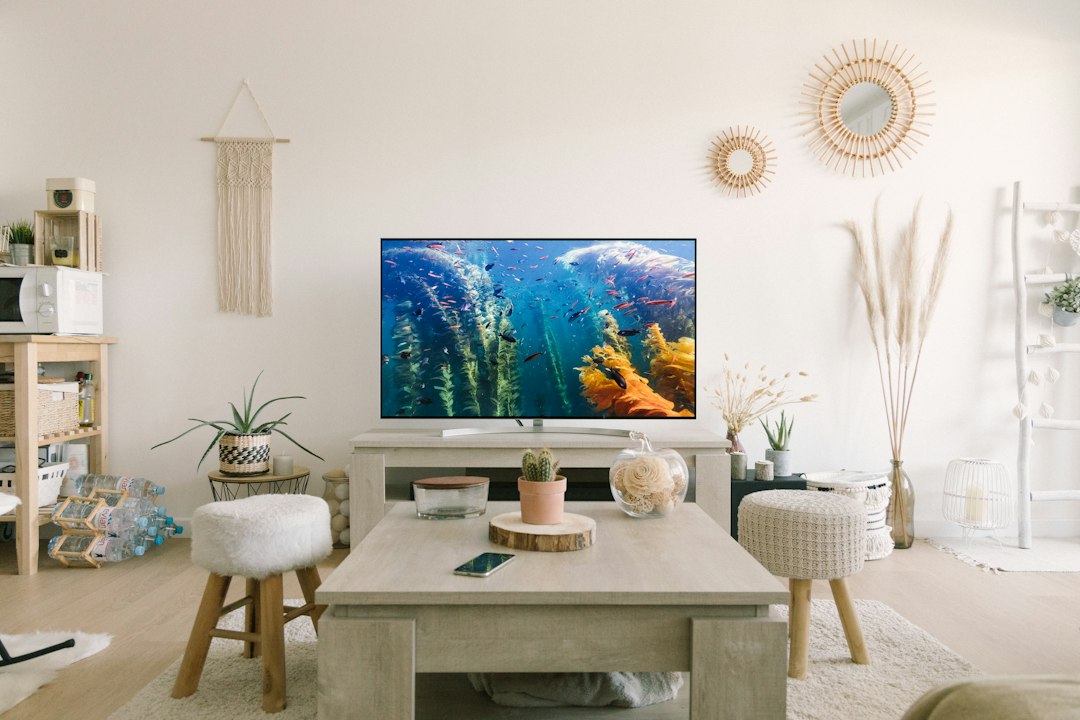
A television moving record should identify the actual screen, its stand or mounting accessories, preparation responsibilities, and intended destination. For a local Nashville move, keep those groups separate before asking JM Moving to review the request. Use known model information and accessible photographs rather than a guessed specification. This guide focuses on an inventory list; it does not provide wall-mount removal, electrical work, installation procedures, or a guarantee that a particular container or packing method is suitable.
Identify the screen with actual model information
Record the make and model where known and state the source of that information. Include available outside dimensions rather than relying only on a general screen-size description. Explain whether a stand, attached accessory, or visible projection is included in the measurement. Mark uncertain specifications as unknown so the assessment does not depend on a similar-looking model.

Give each television a separate identifier if several are involved. Use a room name or another recognizable label that stays consistent in the inventory, photographs, accessory containers, and destination notes. This record distinguishes one item from another without assigning a guessed weight, value, or handling requirement. Ask the move contact what additional information it needs for the actual transportation request.
Record the current installed or freestanding configuration
State whether the screen is on a stand, mounted, already prepared by an appropriate person, or awaiting preparation. Describe only what is known and identify the responsible household or qualified contact for unanswered technical tasks. A photograph of an installed screen should not be treated as confirmation that it is ready for transportation.
Ask which preparation and installation tasks are included in the proposed scope and which remain separate. Use the actual manufacturer’s information and appropriate qualified assistance where needed. Do not remove unfamiliar mounting components or perform electrical work based on an inventory article. Keep preparation status in writing so the provider can assess the request without assuming a technical dependency has been completed.
List stands, remotes, and ordinary accessories separately
Connect remotes, stand components, instructions, and other known accessories to the correct screen identifier. State whether each group is with the television, packed separately under an agreed arrangement, or stored in another room. A general electronics carton can be clarified with a short equipment relationship and container number.
Do not assume that every cable or component nearby belongs to the screen. Separate unrelated devices and supplies in the inventory and identify any group that remains unconfirmed. Keep account credentials and private device information outside visible labels or survey photographs. The record should preserve item relationships without becoming a technical configuration document or prescribing how equipment should be disconnected.
Keep mounting hardware linked to its actual equipment
Where mounting parts are included in the requested move, record them as a recognizable group associated with the screen or mount. State what is actually available and which information needs confirmation by the responsible person. Keep detached hardware identified under the agreed preparation arrangement rather than mixing it into an unrelated tools carton.
Transportation of a hardware group and installing a mount at the destination are different requests. Ask which work is included and use appropriate qualified assistance for installation questions. Do not infer compatibility or choose a mounting method from the moving inventory. The list explains what the household wants assessed without promising that the old mount is suitable for the new property or screen arrangement.
Document visible condition with accessible photographs
Take an overall accessible view and relevant detail photographs for visible observations. Use location-based descriptions and connect each image to the screen identifier. Do not guess the cause of a mark or diagnose operating performance from a photograph. Keep private screens, account details, and unrelated personal documents outside the frame where practical.
Ask about the provider’s agreed condition documentation and concern process. Survey photographs can support communication, but they do not test electronics, establish value, certify a screen, or determine a formal claim outcome. If operating or technical condition needs review, keep it with the appropriate qualified contact and record the current known status factually.
Discuss preparation and available packaging directly
Record whether original packaging is available, whether another container has already been prepared, or whether packing remains a provider question. Include the actual screen dimensions and configuration so the discussion concerns the correct item. Do not assume a carton described as a television box is appropriate for every screen.
Ask which protection, materials, and preparation tasks are included in the proposed estimate and who completes them. Keep unresolved packing decisions visible until confirmed. This guide does not select a universal packaging method or guarantee protection from a label alone. A clear question about the actual screen and available materials is more useful than a broad statement that electronics are already packed.
Review destination placement and access independently
Name the intended room at the new Nashville property and identify whether the household requests ordinary placement or separate technical setup. Record relevant access questions and supply accessible route photographs where a substantial screen or furniture group needs review. Keep pickup and delivery conditions distinct.
Ask what room placement is included and who is responsible for any mounting, connection, or operating setup. A screen delivered into a room is not automatically installed or configured. Keep the accessory and mounting-parts group connected to its identifier so the appropriate setup contact can locate it later. Mark unavailable destination information as unresolved rather than assuming the old arrangement will be recreated.
Use a practical television record example
A household initially lists two televisions. A clearer Nashville inventory identifies each screen by room and known model, records the current configuration, and separates stand parts, remotes, and mounting hardware into associated groups. One screen has original packaging available; the other has a packing question requiring review. A qualified responsible contact is assigned an outstanding preparation task.
The destination notes identify the intended rooms and distinguish transportation from technical installation. The household supplies accessible condition and route photographs and asks JM Moving to confirm the actual requested scope. This record supports assessment without inventing screen compatibility, a removal method, packaging suitability, setup availability, or an operating guarantee.
Example screen and accessory record
Use these categories to distinguish equipment, components, and technical dependencies. Replace the examples with actual facts; the record does not certify packaging, mount compatibility, or installation.
| Record | Information | Question to resolve |
|---|---|---|
| Screen | Identifier, actual model and outside dimensions | What configuration is being assessed? |
| Stand and accessories | Known equipment relationship and container identifier | Which group is included in the move? |
| Mounting parts | Factual component list and responsible contact | Who handles preparation or installation? |
| Available packaging | Actual materials and preparation status | Which protection scope is proposed? |
| Destination | Intended room and separate setup responsibility | Which delivery tasks are included? |
Ten television inventory tips
- Use one screen identifier. Keep model details, photographs, accessories, and destination room notes associated with the correct television.
- Record outside dimensions. State the current configuration and whether stands or projections are included, marking approximate figures honestly.
- Describe installed status. Identify what is mounted, freestanding, or already prepared and who confirms technical responsibilities.
- Keep accessories related. Connect remotes, instructions, and known stand parts to the screen rather than a vague electronics group.
- Separate unrelated devices. Do not assume every cable or item nearby belongs to the television; mark uncertain groups for review.
- Identify mounting parts. Use an associated hardware-container identifier and keep installation compatibility questions separate.
- Photograph condition factually. Record visible observations without diagnosing performance or exposing private screens and credentials.
- Discuss available packaging. State what materials actually exist and ask about the provider’s preparation and protection scope.
- Review destination tasks. Distinguish ordinary room placement from mounting, connection, configuration, or operating setup.
- Update changes clearly. Report added screens, missing components, new room assignments, or preparation revisions before confirming the request.
Use a two-part handoff for the screen and its accessories
A television can arrive in the correct room while its stand parts or remote remain unidentified in another carton. Prevent that mismatch with a screen record and a linked accessory record. Give the screen an identifier such as TV-A, then record the actual number of accessory containers linked to it. Keep a separate line for a soundbar, game console or streaming device instead of silently treating all nearby electronics as part of the television.
Before packing, ask the responsible equipment owner to distinguish confirmed accessories from unknown parts. If two televisions use similar remotes or stands, do not rely on appearance alone. Record the owner-confirmed relationship and mark any unresolved item for review. A useful label communicates the group and destination; it should not include streaming passwords, account names or private network details.
Confirm these details before the final inventory update
- The identifier and actual model of each screen.
- Whether technical preparation is complete or still assigned to a responsible person.
- The number of associated accessory containers, including any personally carried group.
- Which stand or mounting parts are included, without assuming compatibility.
- The intended destination and the person responsible for technical setup.

Keep the manufacturer’s instructions with the technical owner
For a Samsung television, the official TV support page provides model-based access to support and manuals. Use the corresponding manufacturer for other equipment. The manual is a source for the appropriate technical instructions, not evidence that removal, installation or testing is included in a moving estimate. A qualified installer may need to review the mount and destination separately.
At delivery, reconcile the screen identifier and accessory-container count before the equipment owner begins setup. If an expected part is missing, report the specific identifier and last known location through the agreed process. Do not substitute an unknown screw, adapter or mounting component to make the room look finished. Room placement, receipt of the accessories and successful technical operation are three different checks.
Frequently asked questions
Is a screen-size label enough for the inventory?
Use actual model information and available outside dimensions, explaining the current stand or mounting configuration.
Should multiple televisions share one entry?
Give each a recognizable identifier so accessories, photographs, and destination rooms remain distinct.
Does this guide provide wall-mount removal instructions?
No. Use appropriate equipment information and qualified responsibility for technical preparation.
Are nearby cables automatically part of the screen group?
Identify what belongs to the equipment and keep unrelated or uncertain groups separate.
Can old mounting parts be assumed compatible?
Keep compatibility and installation questions with the appropriate qualified contact rather than a moving inventory.
Does a condition photo test the television?
No. Record factual visible observations and keep operating assessment separate.
Does original packaging guarantee protection?
Discuss the actual packaging and screen with the provider; the inventory does not certify a packing arrangement.
Does room delivery include installation?
Do not assume it does. Confirm ordinary placement and technical setup responsibilities separately.
What if preparation remains incomplete?
Report the actual task status and ask what arrangement is available before treating the move as confirmed.
Where can I request the review?
Contact JM Moving with screen identifiers, accessories, preparation status, accessible photographs, and Nashville addresses.
Request your Nashville equipment review
Use the room inventory, confirm the preparation scope, and collect accessible equipment photographs. Contact JM Moving with your local Nashville request: (615) 710-9990.